Software
IBM SPSS Statistics
What you can licence, how the pieces fit, and which model suits which organisation. No prices here: every proposal is advice, written for your situation.
What it looks like
IBM SPSS Statistics 31 on macOS
The three windows an analyst lives in: the Data Editor, the Syntax Editor and the Output Viewer. Captured from the current release on the bank-loan sample data that ships with the software.
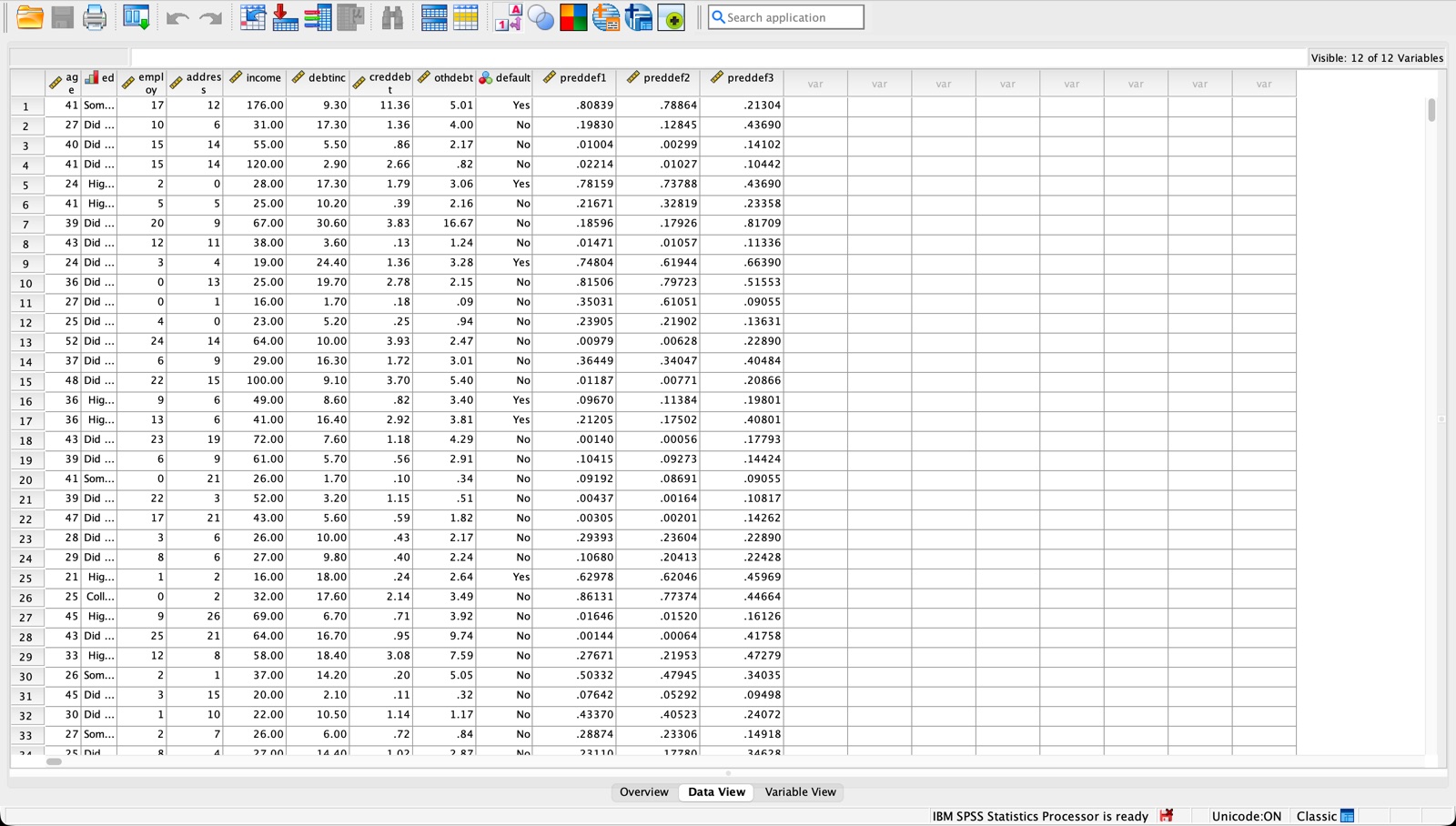
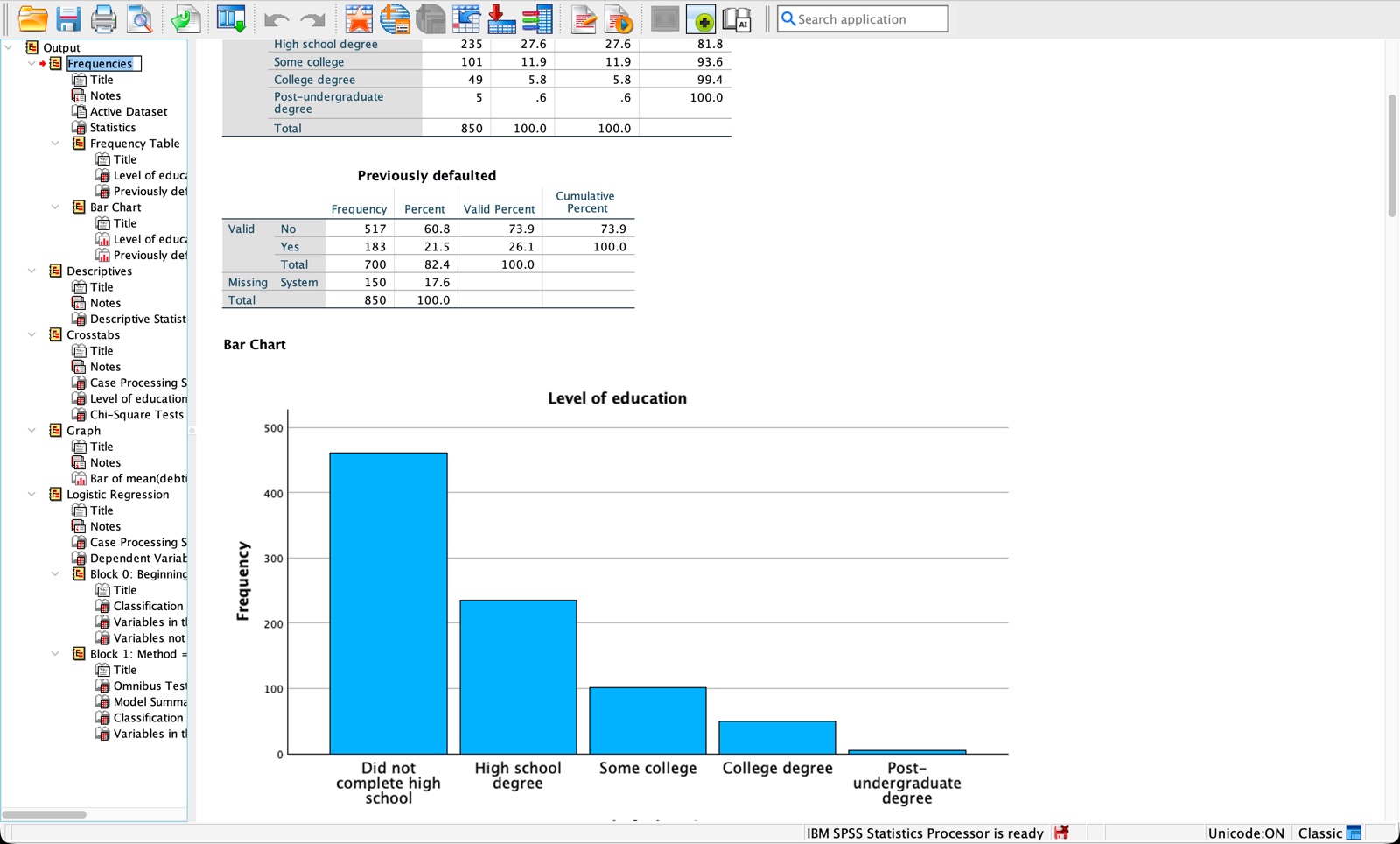
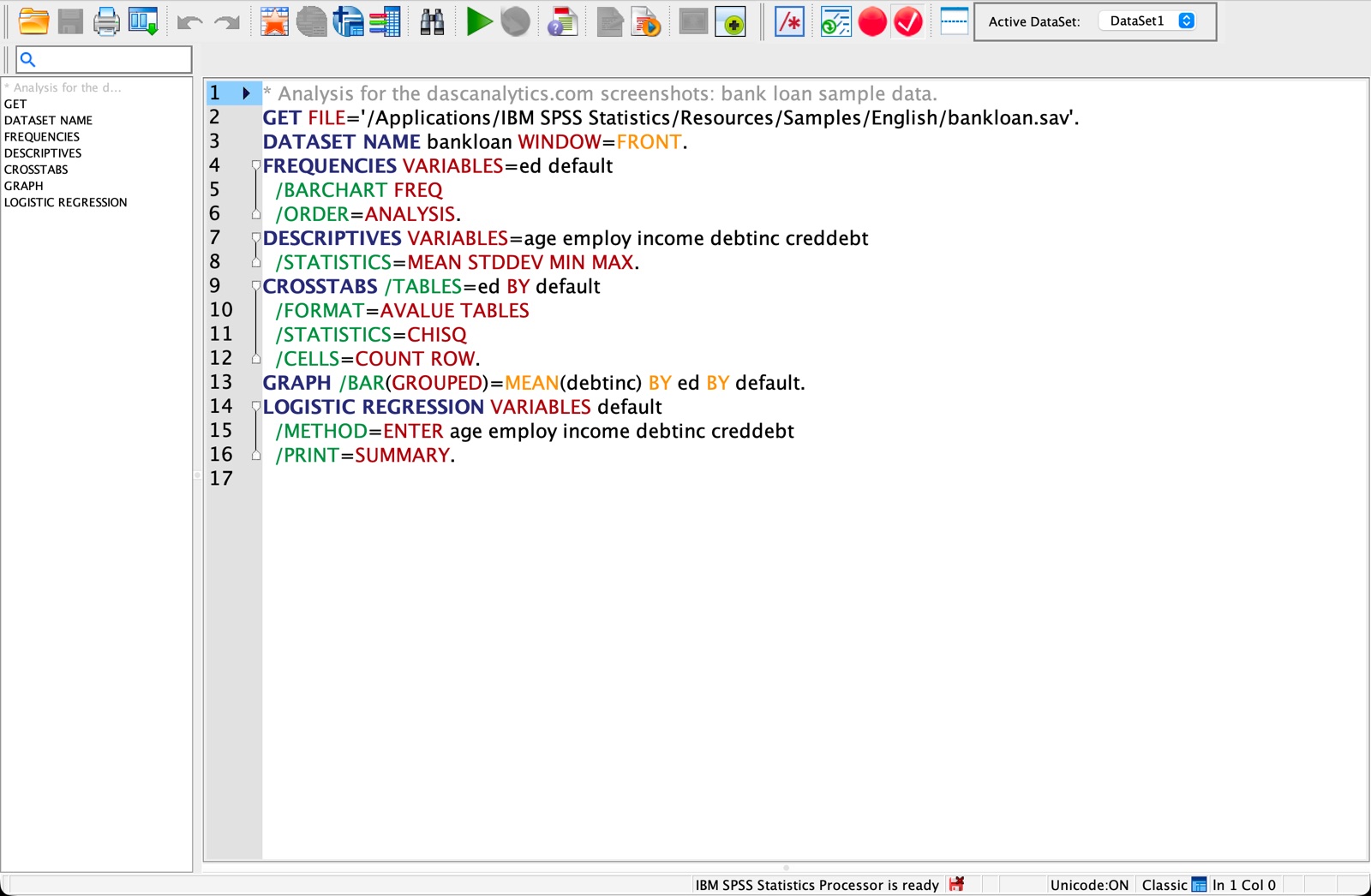
Screenshots of IBM SPSS Statistics 31.0.2 on macOS. Sample data supplied with the software.
One engine, many ways to licence it
IBM SPSS Statistics is built from modules on top of Statistics Base. With a perpetual licence you add individual modules to Base — even just one — or take an edition: Standard, Professional or Premium, each a fixed bundle. With a subscription you start from Base and choose up to three add-ons.
Which is cheaper depends on how many modules you really use. For one or two, a module on Base nearly always beats the edition that contains it. We check that as standard when we quote.
Platforms
Windows and macOS, including Apple Silicon. Supported OS versions differ per release; we verify before you order.
Interface languages
English, German and French among the locales IBM ships. Documentation and our courses are in English.
Who may buy
Business, public sector, healthcare, universities, colleges and research institutes. Education and research have their own terms.
Deployment
Single installs, silent MSI packages, Intune and SCCM rollouts, or a central server in the EU.
The modules
The same set of modules decides what you can do, whether you buy them singly or in an edition:
- Advanced Statistics
- Regression
- Custom Tables
- Complex Samples
- Categories
- Missing Values
- Exact Tests
- Conjoint
- Forecasting
- Decision Trees
- Neural Networks
- Direct Marketing
- Bootstrapping
- Data Preparation
Licence models
Which model fits your organisation?
IBM offers SPSS under several licence models. The choice decides what you pay and how you may deploy the software. These are the ones we supply most.
Subscription
Monthly or annual payment, updates included, for as long as the subscription runs. Low entry cost and easy to scale with your user count.
Best for Projects, growing teams, organisations that prefer operating expenditure.
Perpetual
A one-off purchase of a version you may keep using. Updates and support through a separate maintenance agreement. Higher up front, lower over the years.
Best for Stable user counts and a capital budget.
Authorized User
Tied to a named person, who may use it on several of their own devices. Simple to administer; you pay per person.
Best for Small teams where everyone uses SPSS daily.
Concurrent User
A licence server inside your network shares a pool. What counts is the number of simultaneous users, not the number of people.
Best for Larger organisations and education, where many analyse occasionally.
Academic and campus
Separate terms for teaching and research, up to campus-wide agreements. Use is restricted to education and research.
Best for Universities, colleges, research institutes and their students.
IBM revises its licence terms and editions periodically. Our quotation states the specification in force at that moment.
Next to Statistics
Modeler, Amos and PS IMAGO PRO
Three products that come up when the work changes shape. We quote them with the same care, and say so when something is better handled as a project.
Predictive analytics
IBM SPSS Modeler
A visual workbench for predictive models and data streams: segmentation, churn, fraud, text analytics. Its own editions, including text mining and the Gold variant for Collaboration & Deployment Services. Almost always a conversation first, then a proposal.
Structural equation modelling
IBM SPSS Amos
Path analysis, confirmatory factor analysis and structural equation models with a graphical interface. Common in social science, psychology and marketing research, alongside Statistics.
Reporting on SPSS
PS IMAGO PRO
Predictive Solutions' reporting, dashboard and automation layer built on the IBM SPSS Statistics engine. DASC supplies it in the Netherlands; ask us about availability and terms in your country.
Tell us your country and what you need.
You get a reasoned proposal within one business day, not an automatic order.